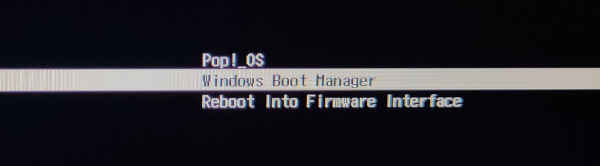
Finally, a clean solution for Dual Booting Pop!_OS and Windows!
Unlike most Linux distros, Pop!_OS uses systemd-boot instead of GRUB. This is why standard Ubuntu tutorials often fail here.
🛠️ Fix Dual Boot: Integrating Windows into systemd-boot
This method works for Pop!_OS 22.04 LTS and Windows 10/11 on UEFI systems. We will move the Windows boot files to where Pop!_OS can see them.
sudo apt update && sudo apt install os-prober
sudo os-prober
The output will show your Windows partition (e.g., /dev/sdb1). Now, mount it and copy the EFI files:
sudo mount /dev/sdb1 /mnt
sudo cp -ax /mnt/EFI/Microsoft /boot/efi/EFI
Next, let’s enable the boot menu selection by adding a timeout:
sudo gedit /boot/efi/loader/loader.confAdd timeout 5 to the end of the file, save, and reboot.
⚠️ Is os-prober returning nothing?
If os-prober fails to find Windows, your Windows bootloader might be corrupted.
Before you panic, check my guide on How to Restore Windows Boot (UEFI/MBR) to fix the boot partition and try this process again.